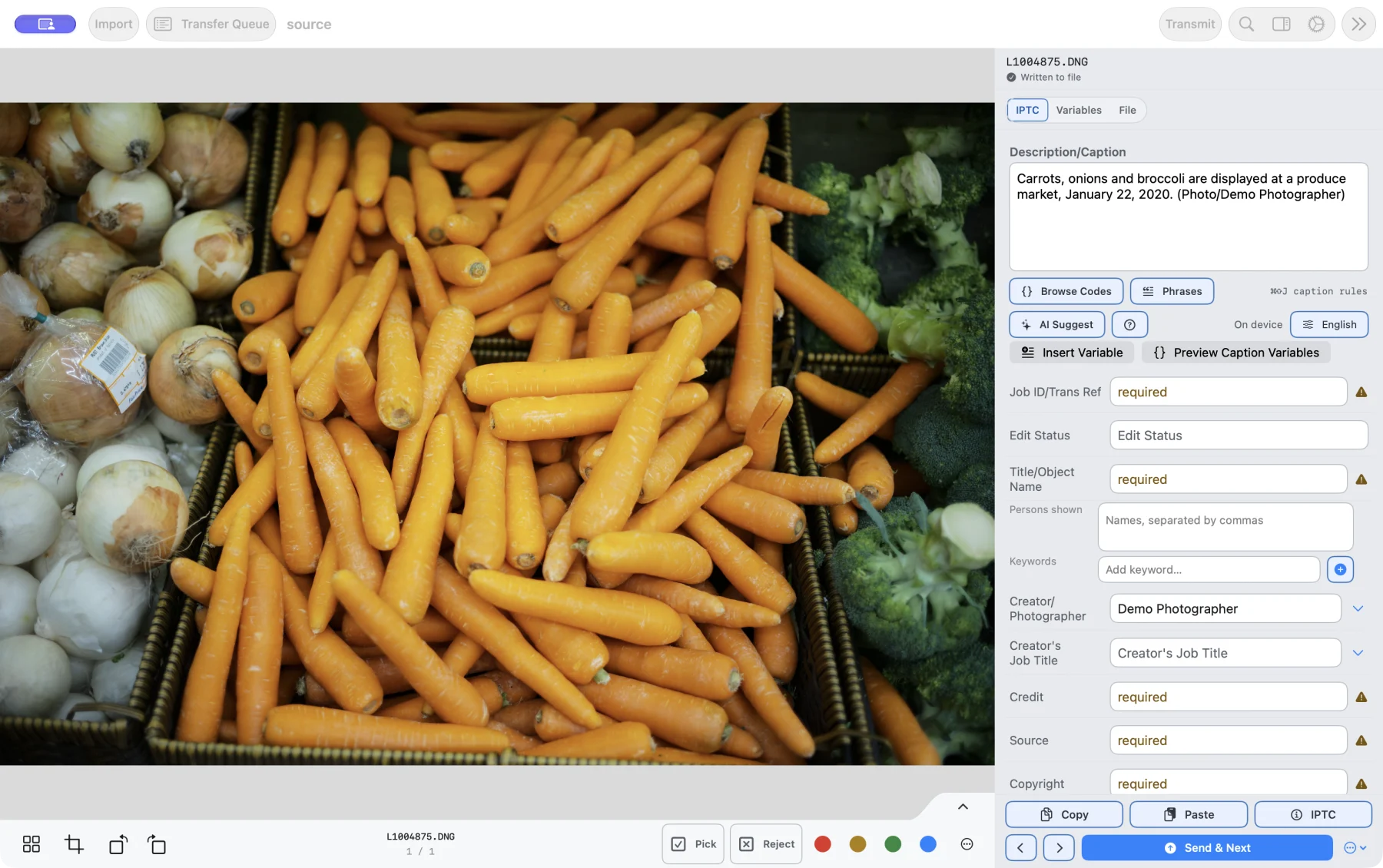
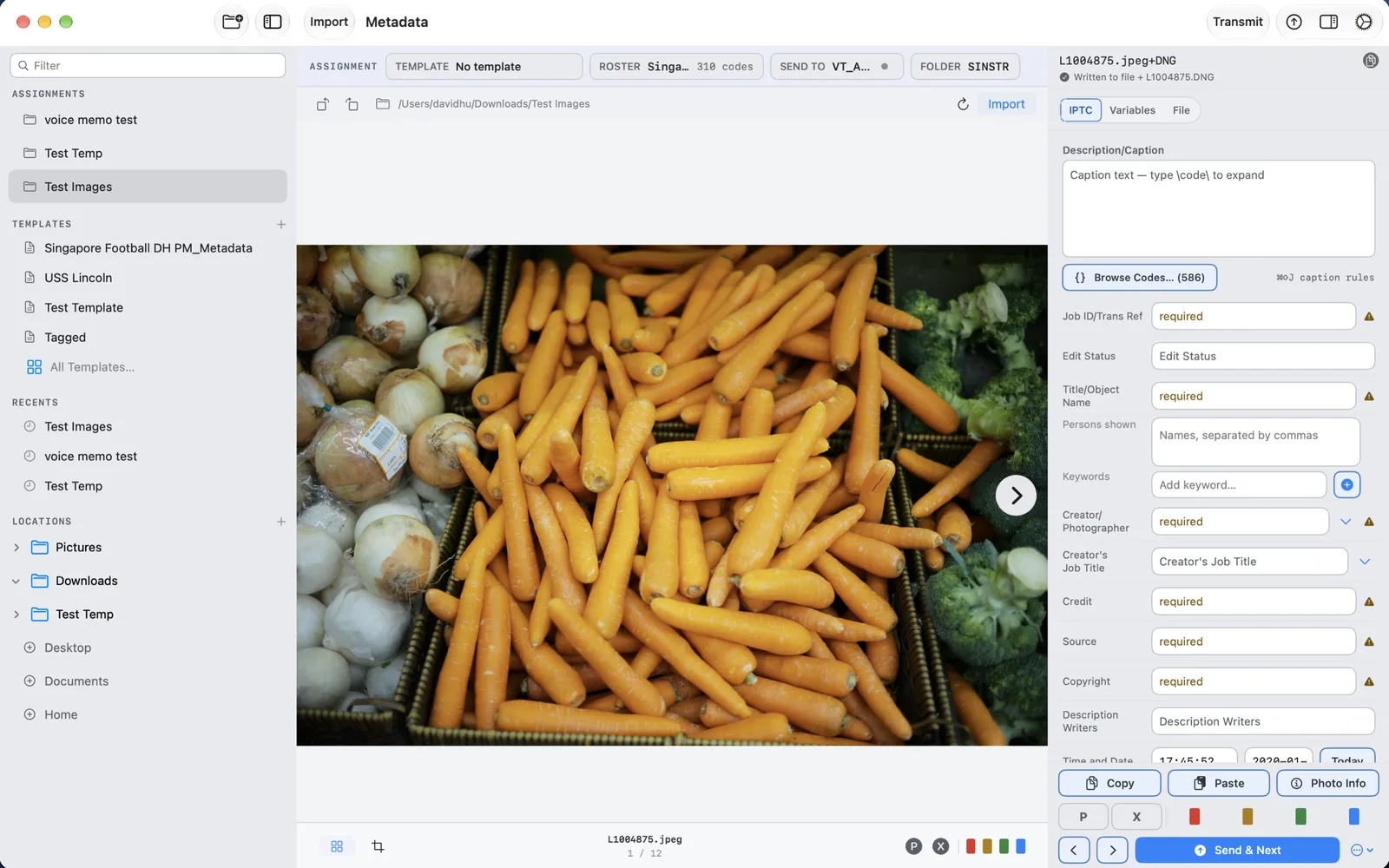
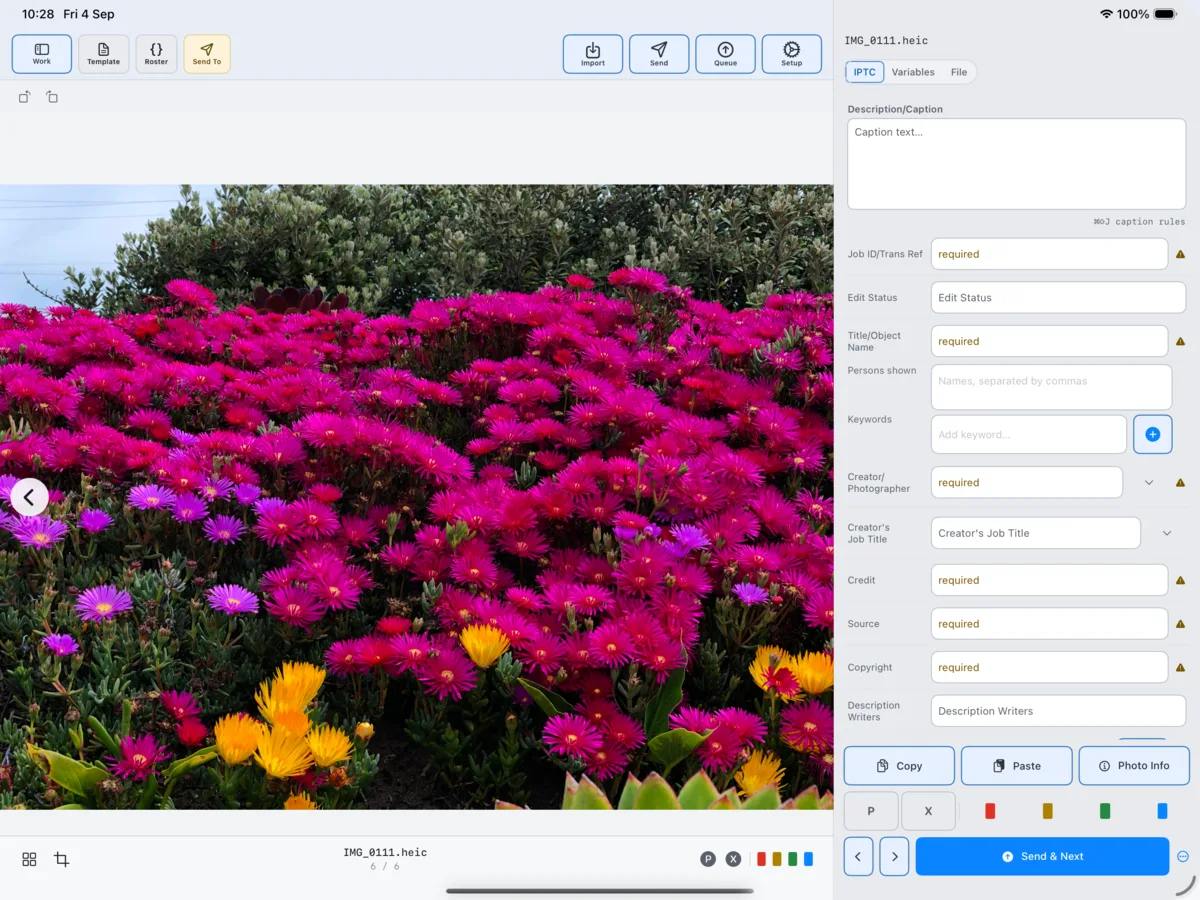
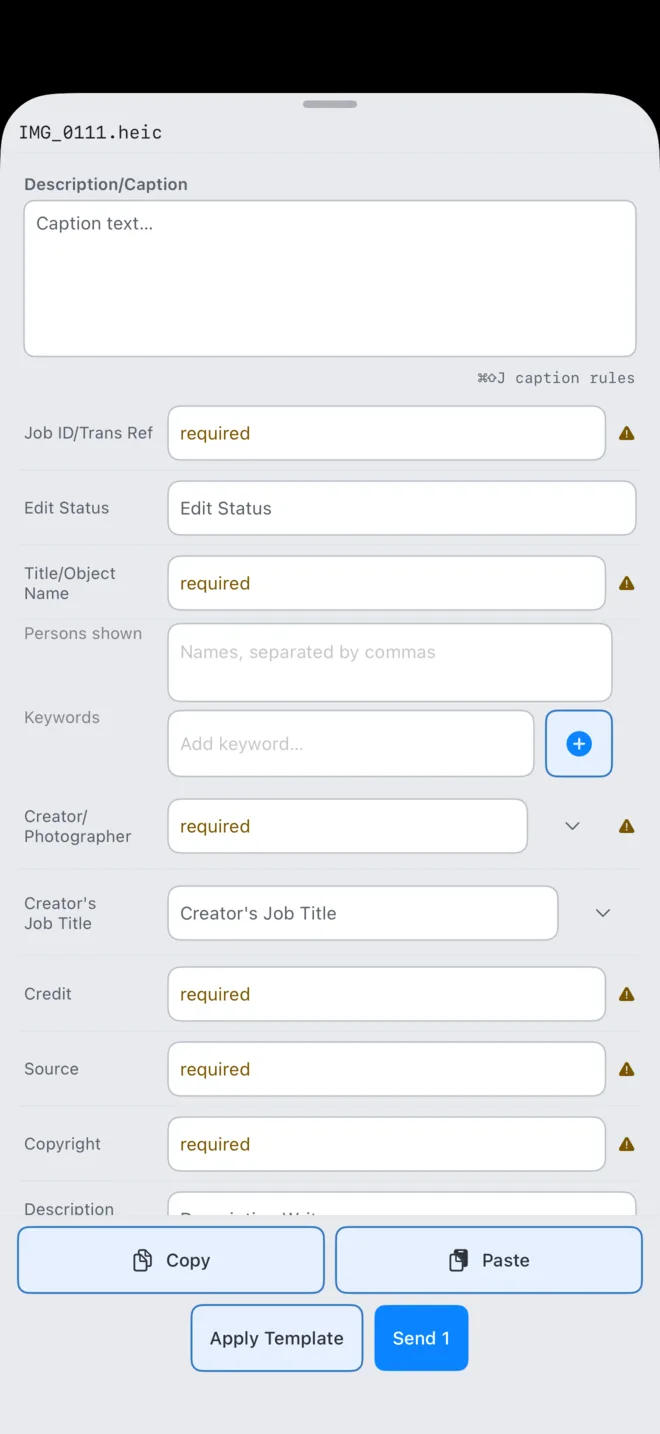
Turn the photo and your notes into an editable caption with AI Suggest. Review the facts, write the IPTC, and file to the desk. All in PressKit, on Mac, iPad, and iPhone.
The frame gives it a start. You give it the story.
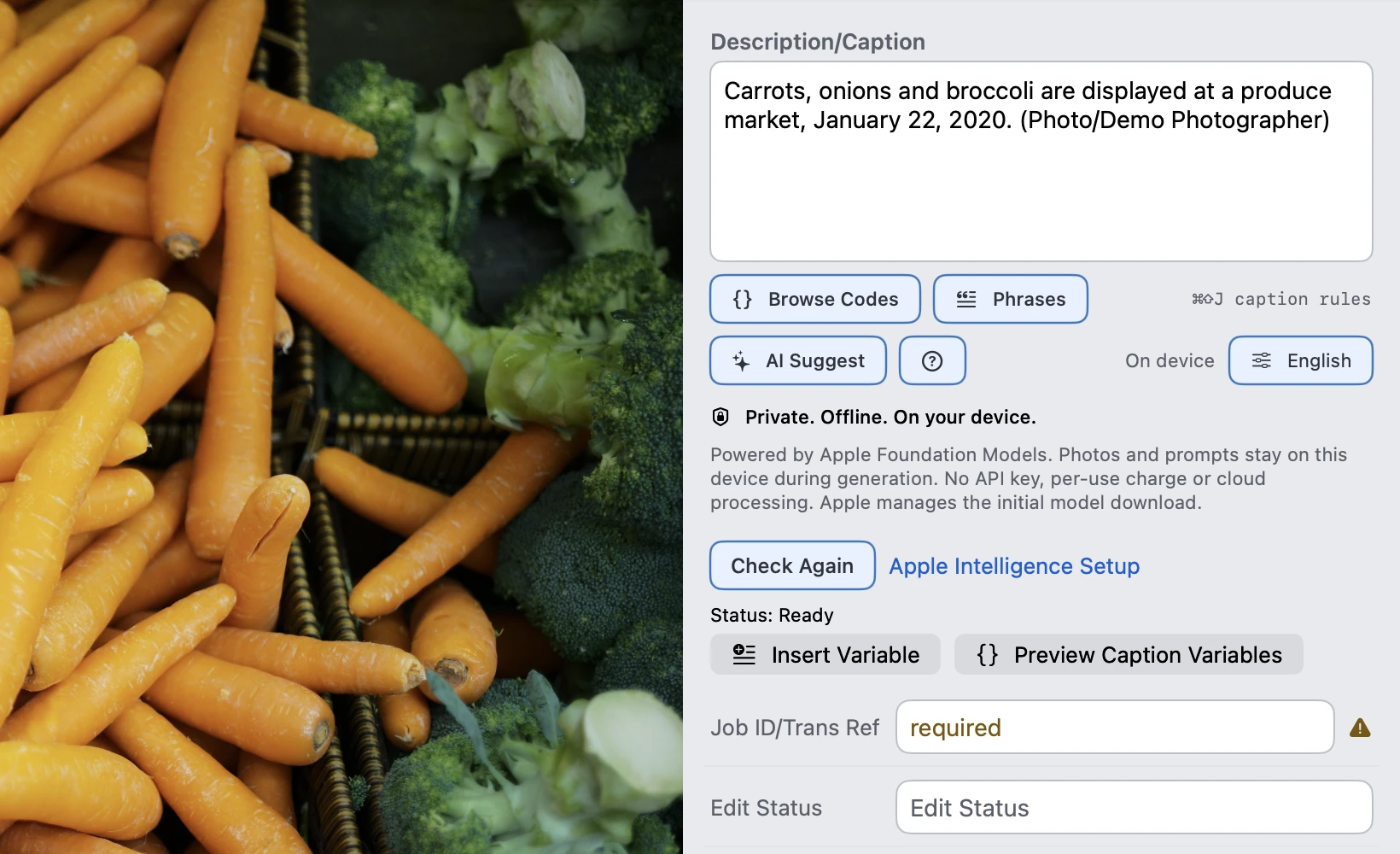
A photograph cannot tell you every name, place, or reason. Add what you know. AI Suggest combines the image with your notes and assignment context, right beside the caption you are editing.
Write names, location, and what is happening in Caption. Your selected photo and assignment background provide the rest of the starting context.
02 / AI SUGGEST
Build an editable draft.
Choose English or Chinese and a writing style. AI Suggest uses the camera date and configured photo credit, with short follow-ups when essential facts are missing.
03 / YOUR REVIEW
Keep the final say.
Check the facts, refine the wording, and decide what stays. Existing captions get a preview before replacement. Nothing is automatically sent to the desk.
On your device
Photos and prompts stay on the device during generation. No cloud AI fallback or API key.
Inside your workflow
The draft lives beside your IPTC fields. Continue with templates, Code Replacement, and Send Check.
A draft you review
AI can make mistakes. Verify identities, place, date, and context before publishing a caption.
Card to picture desk
One continuous filing motion.
No tour of disconnected tools. Each step keeps the assignment, selected frame, metadata state, and delivery state in view.
01
Bring in the frames that matter
Lock your selects in-camera, then import only those frames. Start reviewing while the rest of the card is still copying.
02
Get a draft. Make it yours.
Add your notes, use AI Suggest for a first draft, then check the facts and complete the IPTC fields. Manual captioning is always available.
03
Expand names without retyping
Type a familiar wrapped code and PressKit expands it from your enabled Code Replacement files.
04
Check, transmit, confirm
Run Send Check, verify the connection and resolved path, then file by FTP, SFTP, or a chosen folder.
The working core
Built around the three things that get a picture filed.
01 / IPTC
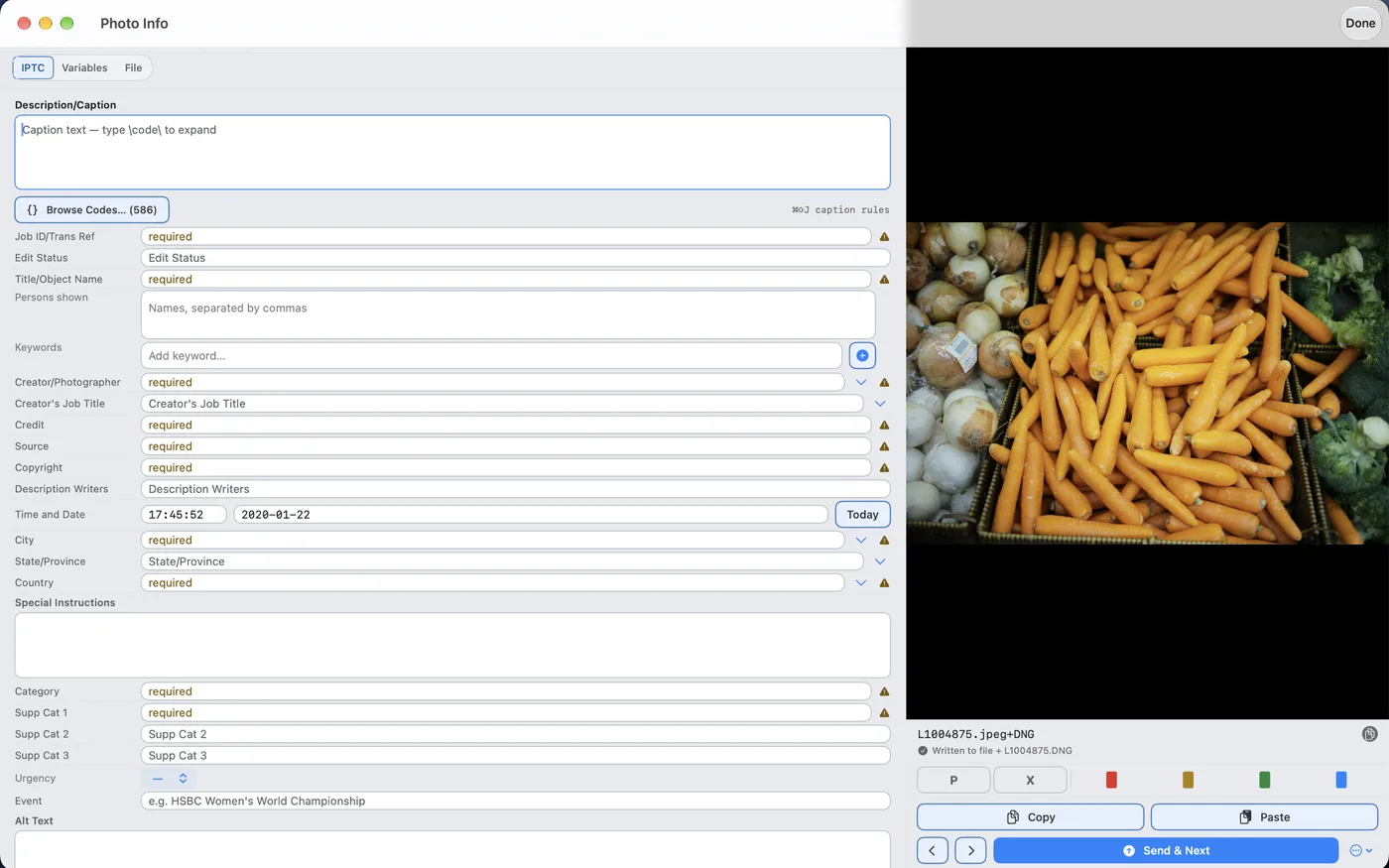
Every field the desk expects, beside the frame.
Caption without leaving the visual context of the take. PressKit combines photographer details, assignment templates, and per-photo edits, then shows the write state before you move on.
IPTC IIM and XMP written together for JPEG
Required-field Send Check before delivery
RAW originals stay untouched; metadata lives in sidecars
Photo Info
Caption input Live expansion
SINGAPORE — \10\ challenges for the ball during...
SINGAPORE — Alex Morgan challenges for the ball during...
\10\ Alex Morgan\11\ Sam Kerr\12\ Aitana Bonmatí
02 / Code Replacement
Keep the speed already in your hands.
Load your Code Replacement files once. Wrapped codes expand as you type across editable metadata fields, while Quick Pick and roster controls keep repeated names within reach on touch devices.
Existing tab-separated code files
Expansion inside caption and IPTC fields
Files and priority available across your devices
03 / FTP & SFTP
Know what is going where before you press Send.
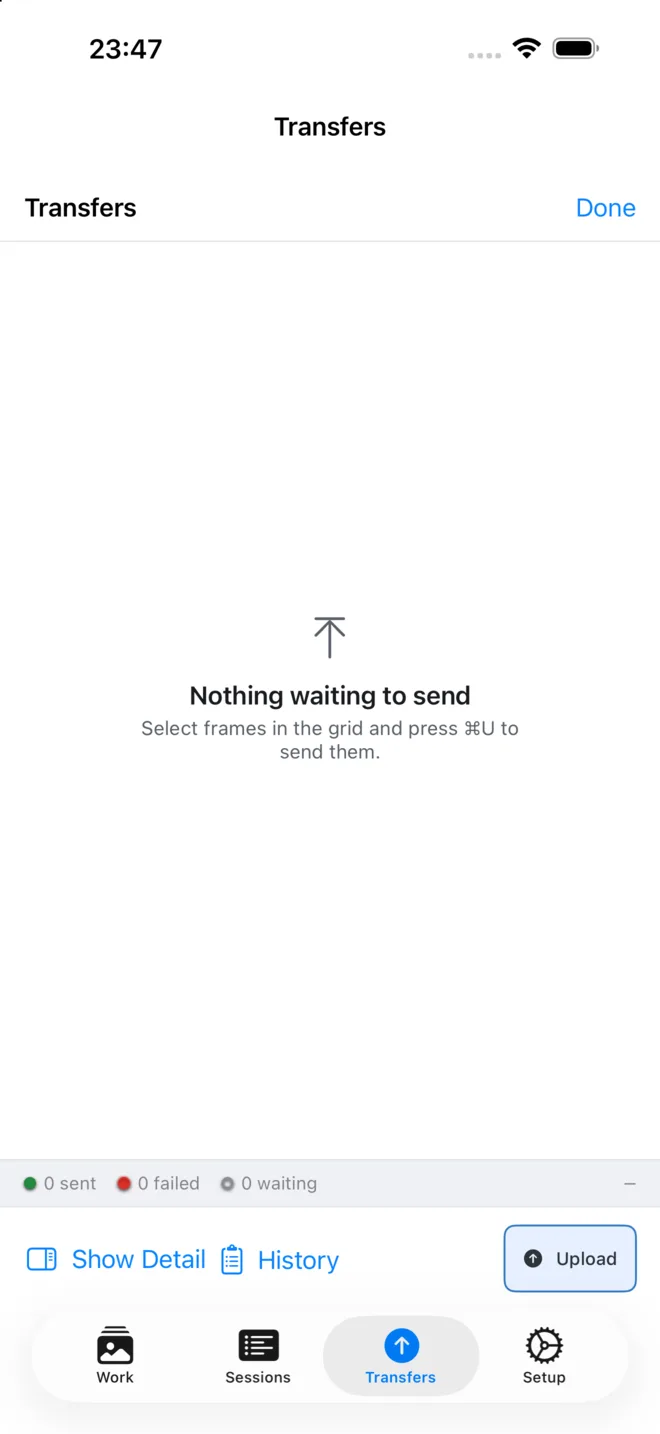
PressKit keeps the selected count, connection, destination path, file size, and transfer result explicit. Failed jobs stay visible and recoverable instead of disappearing into the background.
FTP, SFTP, and folder destinations
Resolved remote paths and filename rules
Persistent queue, progress, history, and manual retry
Send CheckFields ready
Reuters SFTP/incoming/singapore
Delivered1 file · confirmed
Three native platforms
One setup across every place you file.
Build the assignment on a Mac. Work touch-first on iPad. Finish a filing from an iPhone in the back of a car. Each experience is designed for its screen — not squeezed from one desktop layout.
Mac · Full workspace
PressKit · Mac
iPad · Pro or Lite
iPhone · Field Mode
Your setup travels. Templates, presets, profile, code files, field layouts, and connection configuration sync through your private iCloud database.
Your photographs stay local. Photos and session state remain on the device. Credentials stay in the system Keychain.
Bring the working parts with you
Interoperability stated plainly.
PressKit is designed around the files and delivery methods a working picture desk can inspect — without hiding format boundaries.
Metadata
IPTC IIM + XMP for JPEG, XMP for HEIF and RAW sidecars
Workflow files
.pmx field layouts, .xmp templates, Code Replacement files
Delivery
FTP, SFTP, and folder destinations
Platforms
Native Mac, iPad, and iPhone experiences
AI Caption
OS 27 or later, compatible Apple Intelligence hardware, and a ready image-capable model
Files that have not reached the wire yet are private
No analytics. No advertising. No PressKit photo server.
Your photographs leave the device only when you explicitly send them to a destination you configured. Setup sync uses your own private iCloud database; purchases stay with Apple.